
31 Content Ideas for January 2026
As the year winds down towards the holidays, many of us are still in the thick of the hectic rush towards the holidays.
Whether you’re taking some time to rest over the holidays or already dreaming up your big goals for 2026, now is the perfect time to reflect on the past year and start coming up with a plan for your content come January.
January is a powerful time to reset and come back into work in the new year with fresh new energy. For small business owners like us, it’s time to reflect on what worked in 2025, what didn’t and what areas you want to focus on.

To make this easier, I’ve pulled together a month’s prompts to help you keep things rolling, without needing to post every day. Here’s what works for me:
✅ Choose 8–12 that align with your biz
✅ Mix up your content styles (Reels, Stories, graphics, etc.)
✅ Schedule what you can ahead of time
Week 1 (January 1–7)
January 1 – New Year’s Day
Prompt: Kick off the year with a warm welcome, a fresh mindset, or a personal note to your audience.
Example: A service provider could share a hopeful message for 2026 and what they’re looking forward to.
January 2 – Planning Day Behind the Scenes
Prompt: Show how you’re setting goals or prepping for the new year.
Example: A retail shop could post a quick photo of their planner, vision board, or team meeting.
January 3 – Word or Theme of the Year
Prompt: Share your business’s word, phrase, or theme guiding you this year.
Example: A tourism operator might share, “Our theme this year is connection; it guides everything we do.”
January 4 – What’s New This Year
Prompt: Tease or announce something new such as services, products, locations, offers, or events.
Example: A wellness studio could tease a new winter workshop series starting soon.
January 5 – Meet the Team or Founder
Prompt: Reintroduce yourself or your team for the new year.
Example: A service-based business might post a photo with fun facts or goals for 2026.
January 6 – Customer Wins or Testimonials
Prompt: Share a customer story, review, or before-and-after result.
Example: A salon could highlight a long-term client’s transformation over the past year.
January 7 – Sunday Reset or Wellness Reminder
Prompt: Inspire your audience to ease into the year mindfully.
Example: An event venue could share how their team resets with slow mornings and light planning days.
Week 2 (January 8–14)
January 8 – Winter Moodboard or Product Flat Lay
Prompt: Share a seasonal aesthetic featuring your products or services.
Example: A gift shop could create a “January Cozy Collection” with candles, socks, and tea.
January 9 – FAQ Day
Prompt: Answer a frequently asked question in a Reel or graphic.
Example: A tourism business might answer, “Do I need to book in advance for a February stay?”
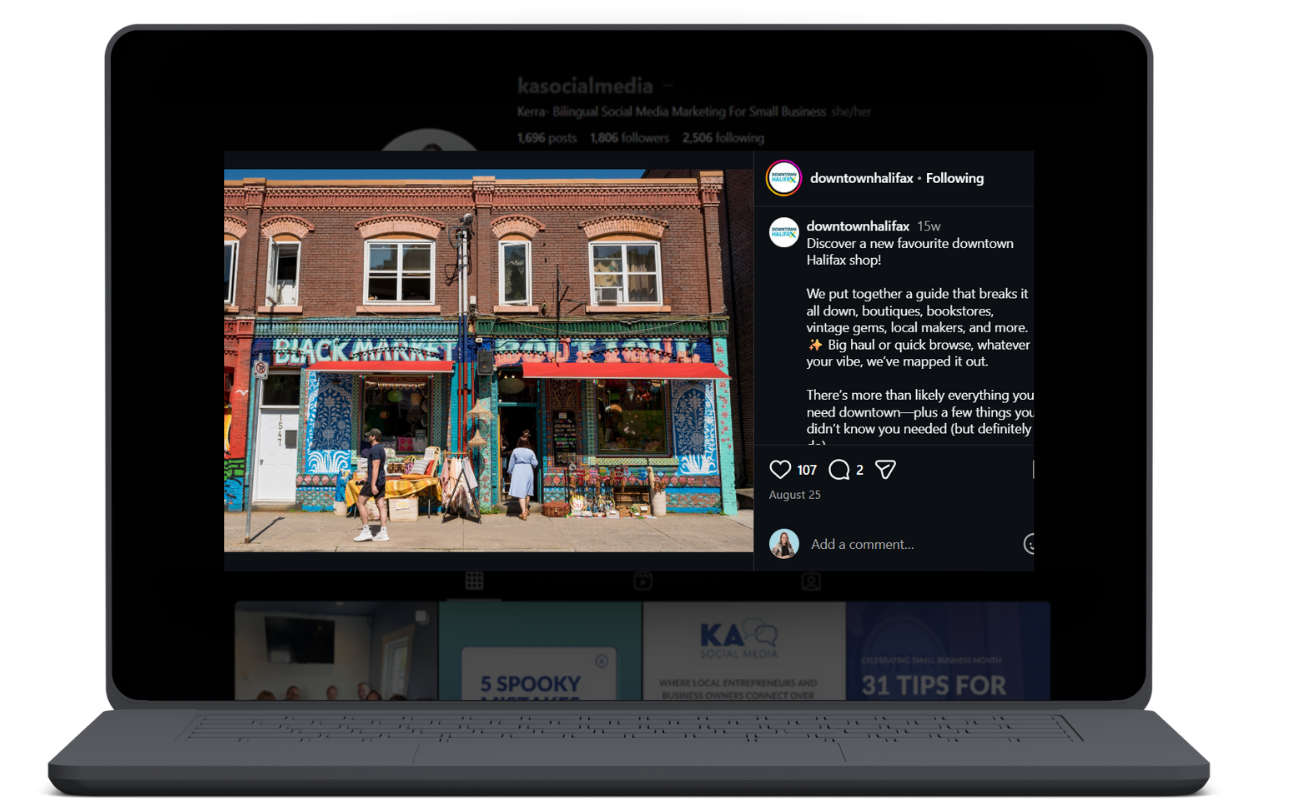
Share a local business to give your audience a look at what it’s like around you.
January 10 – Local Love
Prompt: Spotlight a nearby business, vendor, or client you admire.
Example: A retail store could recommend a local café for customers to visit before or after shopping.
January 11 – Your Routine or Tools
Prompt: Share the tools, habits, or routines helping you start the year strong.
Example: A service provider could post a carousel of “3 tools we’re using to stay on track in 2026.”
January 12 – January Blues Post
Prompt: Acknowledge the slower pace, encourage self-care, or share tips for motivation.
Example: A wellness business could share how they’re easing into January with gentle routines.
January 13 – Throwback to a Past Win
Prompt: Revisit a proud moment from last year.
Example: An event venue might highlight a milestone celebration or sold-out event from last season.
January 14 – Share Your Space
Prompt: Feature your storefront, location, or creative space in winter.
Example: A tourism operator could show cozy cabins, snowy trails, or fireside spaces.
Week 3 (January 15–21)
January 15 – Start of Week Motivation
Prompt: Share a quote, mantra, or mindset to inspire your audience.
Example: A service provider might post, “Done is better than perfect.”
January 16 – Tip Tuesday
Prompt: Offer one useful, actionable tip your audience can apply today.
Example: A skincare studio could offer a winter hydration tip.
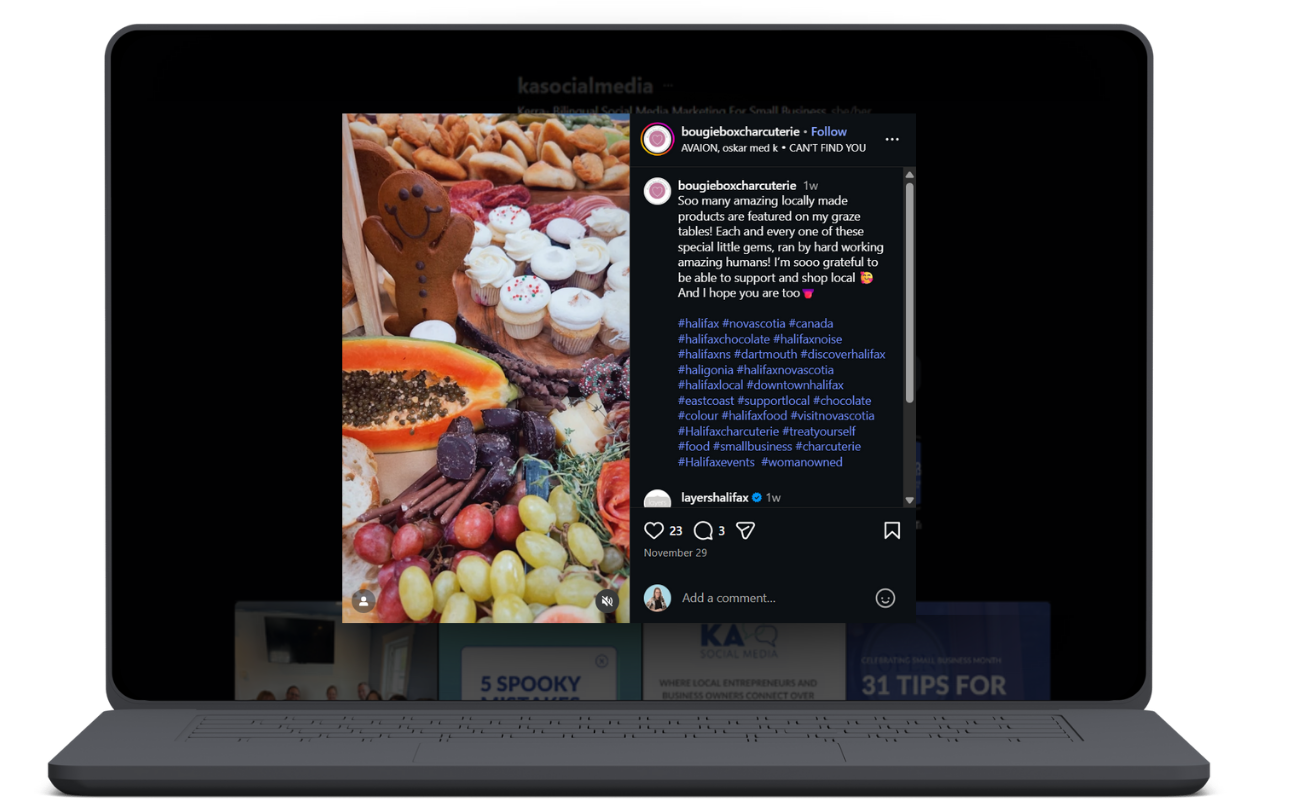
Using Reels is a great way to showcase products.
January 17 – Product or Service Spotlight
Prompt: Highlight one item with details about its benefits or backstory.
Example: A gift shop could explain why a certain product sells well in winter.
January 18 – Ask Me Anything or Poll
Prompt: Encourage questions or votes in Stories to boost engagement.
Example: An event business could ask followers to vote on their favourite winter drink.
January 19 – Meet the Maker or Supplier
Prompt: Highlight a collaborator or someone behind your products or services.
Example: A retail shop could introduce the artist behind a popular handmade item.
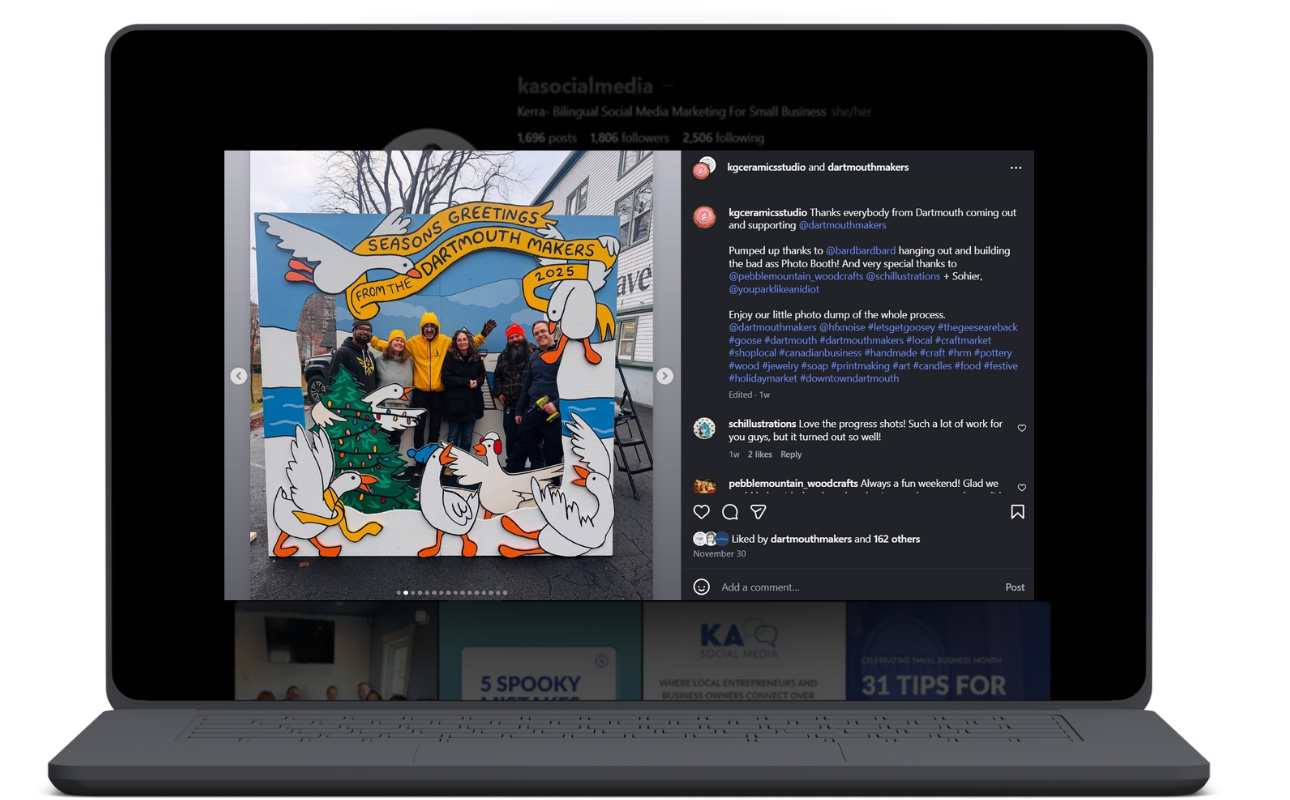
A post after a market to thank all of the customers is a great example of showing customer love!
January 20 – Customer Love
Prompt: Thank a customer or celebrate a milestone supported by your community.
Example: A tourism operator could share that they’ve hosted hundreds of guests this season.
January 21 – What’s in Your Cart or Kit
Prompt: Show what you’re using, selling, or packing lately.
Example: A travel business could share what’s included in their winter getaway kit.
Week 4 (January 22–28)
January 22 – Sale or Booking Reminder
Prompt: Highlight a seasonal promotion, booking deadline, or limited-time offer.
Example: A wellness retreat could remind followers of limited spots left for January bookings.
January 23 – Transformation Tuesday
Prompt: Share a before-and-after or story of improvement.
Example: A tourism operator could show the same spot in summer versus winter.
January 24 – Create a Reel or Trend
Prompt: Join a current trend, audio, or create a simple local-focused idea.
Example: An Airbnb host might post a POV Reel of arriving at their cabin for a cozy stay.
January 25 – Tip for Other Biz Owners
Prompt: Share advice from your niche that helps other small businesses.
Example: A maker could share how they prep inventory for market season.
January 26 – Your Why or Mission
Prompt: Share the heart behind your brand and what drives your work.
Example: A tourism operator could explain their mission to create meaningful local experiences.
January 27 – Weekend Offer or Freebie
Prompt: Share a small perk such as a free download, gift with purchase, or weekend-only code.
Example: A retailer could offer a free sticker pack with any purchase this weekend.
January 28 – Sunday Reflections
Prompt: Share what’s on your mind or a behind-the-scenes moment.
Example: A service provider might reflect on the week and highlight small wins.
Week 5 (January 29–31)
January 29 – What You Learned This Month
Prompt: Share one lesson or surprise from the month.
Example: A retail shop could note the value of showing up consistently on social media.
January 30 – Mini Customer Testimonial or Feature
Prompt: Highlight a short quote or story from a customer this month.
Example: A tourism business could share a guest’s note about how refreshing their stay was.
January 31 – February Teaser
Prompt: Build anticipation for what’s coming next month.
Example: A service-based business could hint at new February offerings and invite guesses.

Business owners can sometimes come into January with a slow start after the holidays, but with a little planning, you can kick off the year with content that really connects with your audience! (Even during the post-holiday slump.)
Whether you choose to post a few times a week or show up daily, these prompts will help spark ideas and help you stay consistent in the New Year.
Pick 8–12 ideas that fit your brand, mix your formats (Reels, graphics, Stories, carousels), and batch a few at a time.

📆 Ready to make 2026 your best year yet?
Let’s get your content strategy sorted before the new year kicks off. Whether you're planning to launch something big in January or you just want a better system in place, I offer VIP Days, content audits, and custom strategy sessions to help you build a plan that works for YOU.
You’ll walk away with:
A 90-day content plan tailored to your goals
A calendar that fits your energy + season
Templates, captions, and clarity to keep your business growing
Find out more here: https://www.kasocialmedia.ca/vip-days